Is a fight active?
A capybara must be doing the job that turns a plant encounter into income.
 Capybaras VS Plants
Plants & income
The developer says plant income continues online and offline. Before you chase a rare plant, confirm the normal plot can earn without you watching it.
Game facts checked August 4, 2026
Quick answer
Troubleshoot Cash
A capybara must be doing the job that turns a plant encounter into income.
Watch the counter once. If it does not change, adding more items hides the problem.
The developer says plants can mutate during weather. Compare the plot instead of assuming the effect.
Leave enough space to tell which plant, egg, or fighter changed after you return.
Plant Index
The in-game Index has PLANTS, CAPYBARAS, and WEATHER tabs with rarity colors and undiscovered silhouettes. The list below records only names that can be read, not a claimed complete roster.
Plant Index and plot footage · July 30–31 field observation
Plant Index and boss UI · July 30–31 field observation
Plant Index · July 30–31 field observation
Plant Index · July 30–31 field observation
Plant Index and plot footage · July 30–31 field observation
Plant Index · July 30–31 field observation
Plant Index · July 30–31 field observation
Plant Index · July 30–31 field observation
Plant Index and shop pack · July 30–31 field observation
Plant Index and shop pack · July 30–31 field observation
Plant Index · July 30–31 field observation
Plant Index · July 30–31 field observation
Auto Sell
The Auto Sell panel shows rarity toggles for Epic, Legendary, Divine, and Mythic plus a Money Per Second minimum field.
Find the lowest Money Per Second value you still want to keep. Do this before enabling a category.
Use either a clear rarity choice or the visible income minimum first. Changing everything together makes a mistake hard to diagnose.
Confirm the item sold matches the rule before leaving automation on or logging off.
What the images show
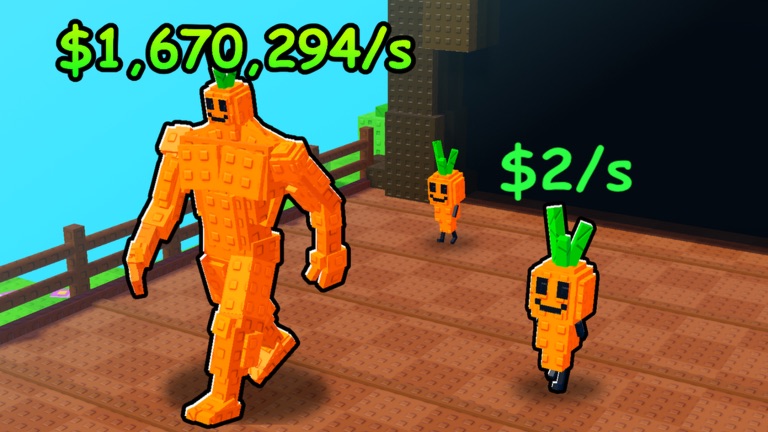
Take a quick note before you upgrade, hatch, mutate, or move to a boss. Compare the same visible number afterward. That tells you whether the change helped your plot without requiring an unreliable global tier list.
Before you log off